Recruiting players (ads)
Teams publish recruitment ads; players browse them on the global transfer board and apply in one click. This is the channel for finding free agents (to recruit a player already under contract, see Transfers).
Publishing an ad (captain)
Team's Recruit section:
| Field | Required | Details |
|---|---|---|
| Title | ✅ | E.g. "Looking for a fast winger" |
| Content | ✅ | Expected level, schedule, vibe... |
| Positions wanted | ❌ | 0 to n positions (from the team's game edition) |
| Tonight | ❌ | Flags a search for today's session |
| Image | ❌ | Ad artwork |
A team can publish several ads and delete them at any time.
The global board
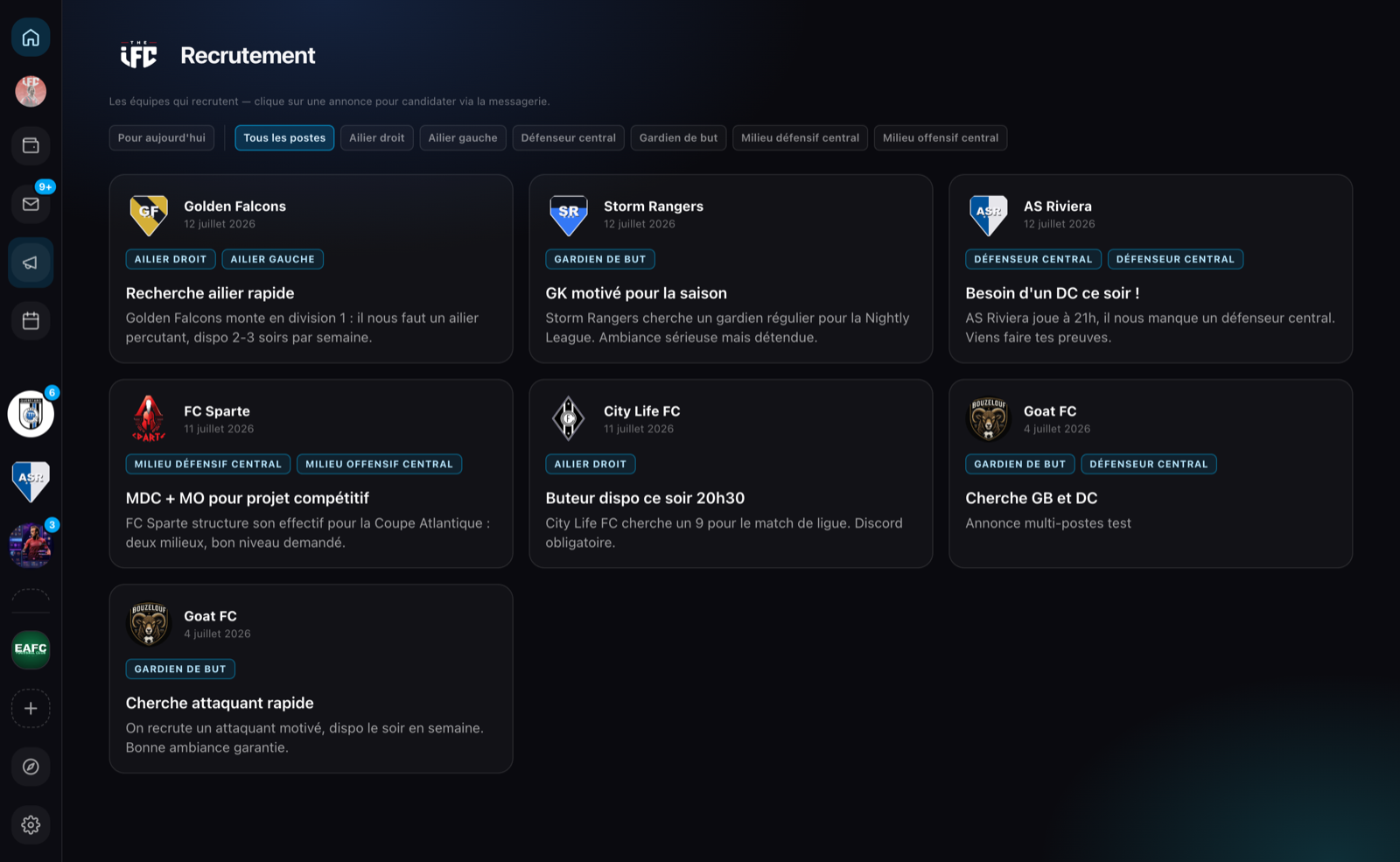
The megaphone icon in the left rail opens the board of ads from the teams of your current game edition, newest first, with two filters:
- Tonight: only today's searches.
- By position: the position chips build themselves from the displayed ads.
Applying (player)
Clicking an ad opens its detail: team, positions, description. The apply button prepares a pre-filled message sent through messaging; the exchange continues with the team's captains.
The contract comes later
The ad is for finding each other. Once the player joins the squad, the captain can offer them a contract.